AI-First Platform
Automate your entire retail operation with AI
WhatsMySale is an intelligent retail operating system. We embed AI into everyday workflows to save you time and eliminate errors.
Traditional Workflow vs. WhatsMySale AI Workflow
Manually type item names, values, batches, expiries, and tax calculations. Takes 20-30 minutes per bill.
Upload supplier invoice image. AI OCR parses batch numbers, prices, and tax rates automatically in seconds.
Navigate tables, compile custom Excel formulas, or scroll logs to find low items. Takes 15-20 minutes.
Ask the AI Analyst: 'Which products are low?' or 'Which batches expire next month?'. Instantly creates a chart.
Print physical receipts on thermal paper rolls, causing high print costs and messy store logs.
Display a secure QR code on counter screens. Customers scan to save/view invoices on their phone.
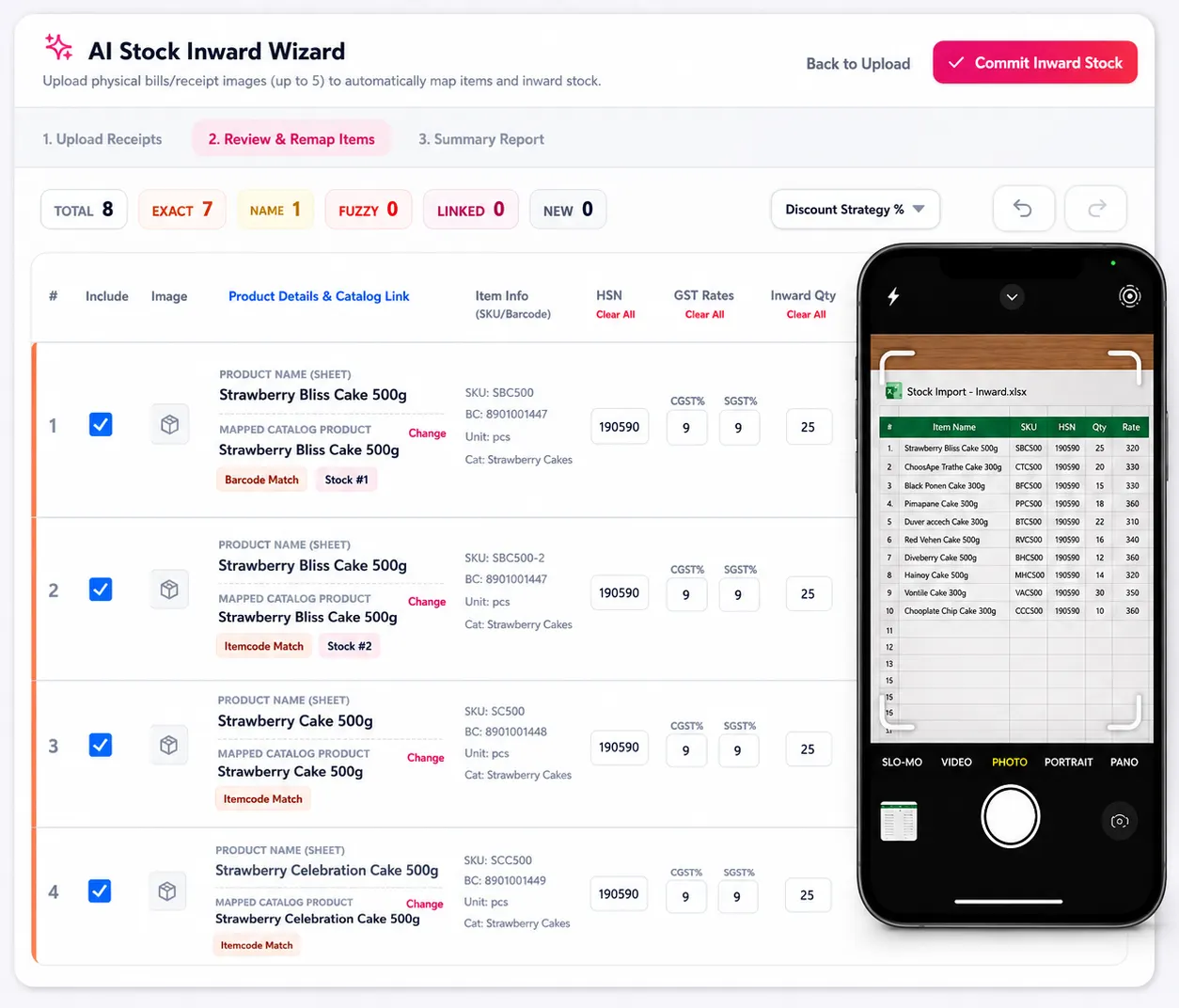
AI Stock Import
Simply snap a photo of supplier invoices or load PDF bills. Our OCR and natural language pipeline processes line items, HSN numbers, custom margins, and batch numbers instantly, preparing a draft preview for verification. Save hours of tedious typing and prevent costly manual calculator errors.
- Auto-extracts batch & expiry dates
- Computes exact SGST/CGST splits
- Zero manual keyboard typing required
Desktop Interface Preview (Click to Zoom)
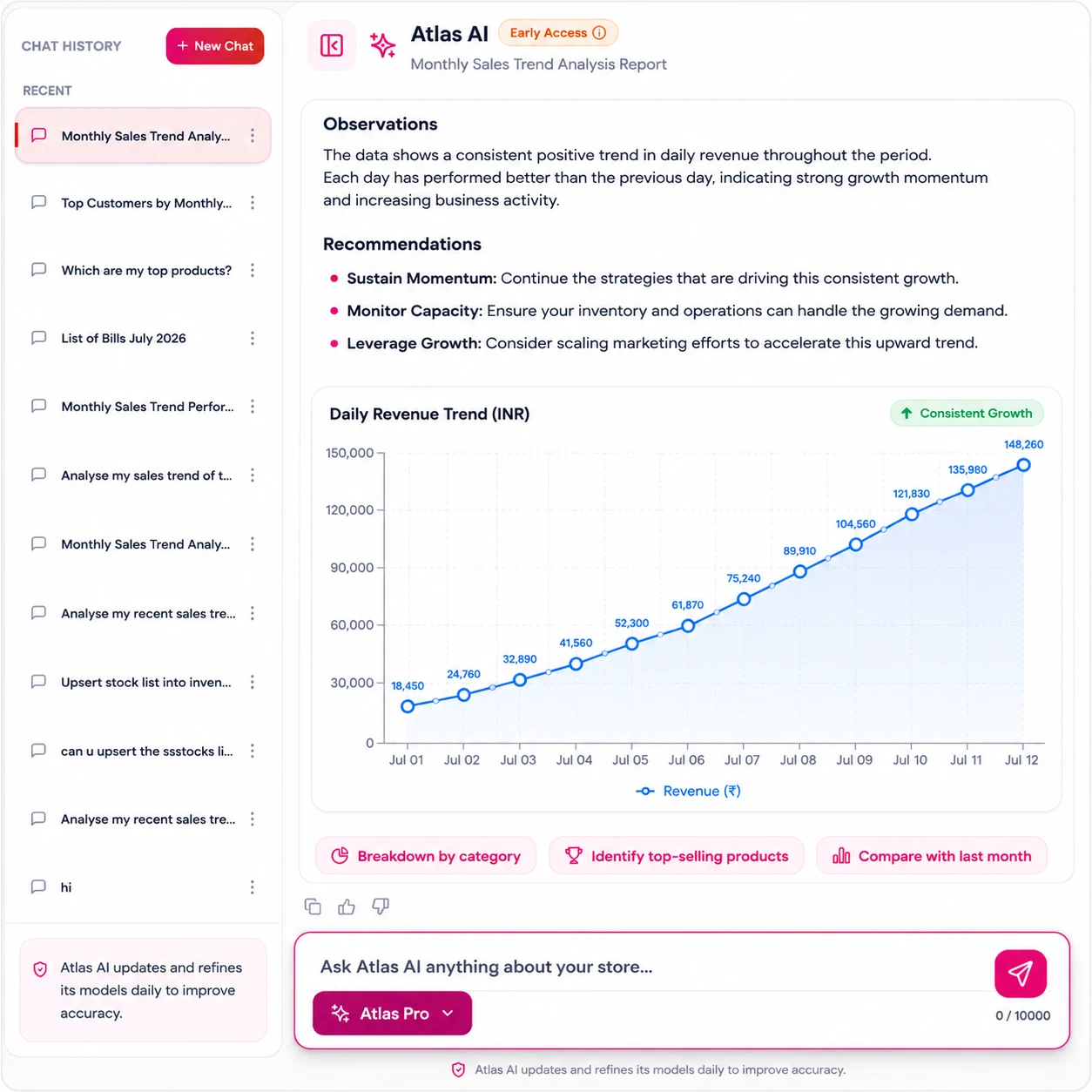
AI Store Analyst
Ask questions about sales margins, profit balances, or low stock categories in plain English. Get direct feedback, summaries, and graphs. You do not need complex dashboard reports or custom tables anymore. Build repeat buyers and find your highest-margin trends.
- Query performance in plain English
- Instantly build sales analytics charts
- Make faster purchasing decisions
Desktop Interface Preview (Click to Zoom)
How AI Photo Stock Entry Works in Your Shop
Turn paper supplier bills into live counter stock without manual typing.
Snap Photo or Upload Bill
Take a clear photo of your supplier's paper invoice using your phone, or upload PDF/Excel supplier bills.
Automatic AI Stock Reading
Built-in AI reads product names, batch numbers, expiry dates, purchase rates, MRP, and GST tax codes automatically.
Review & Verify Stock
Check the populated stock items on a simple preview screen. Adjust selling prices or quantities with a single click.
Save to Store Stock
Click save to commit stock into your inventory ledger, instantly updating all active billing counters.
Information Extracted Automatically from Supplier Invoices
Ditch the typing, work smarter with AI
Explore the future of retail management. Start your 14-day free trial today to experience zero-manual stock entries and smart natural language analytics.